How to Sign a PDF on Android Without an App
By Bishal Neupane · · 2 min read
You don't need a signing app or a printer to sign a PDF on Android. Chrome can do it, and your document stays on your phone the whole time.
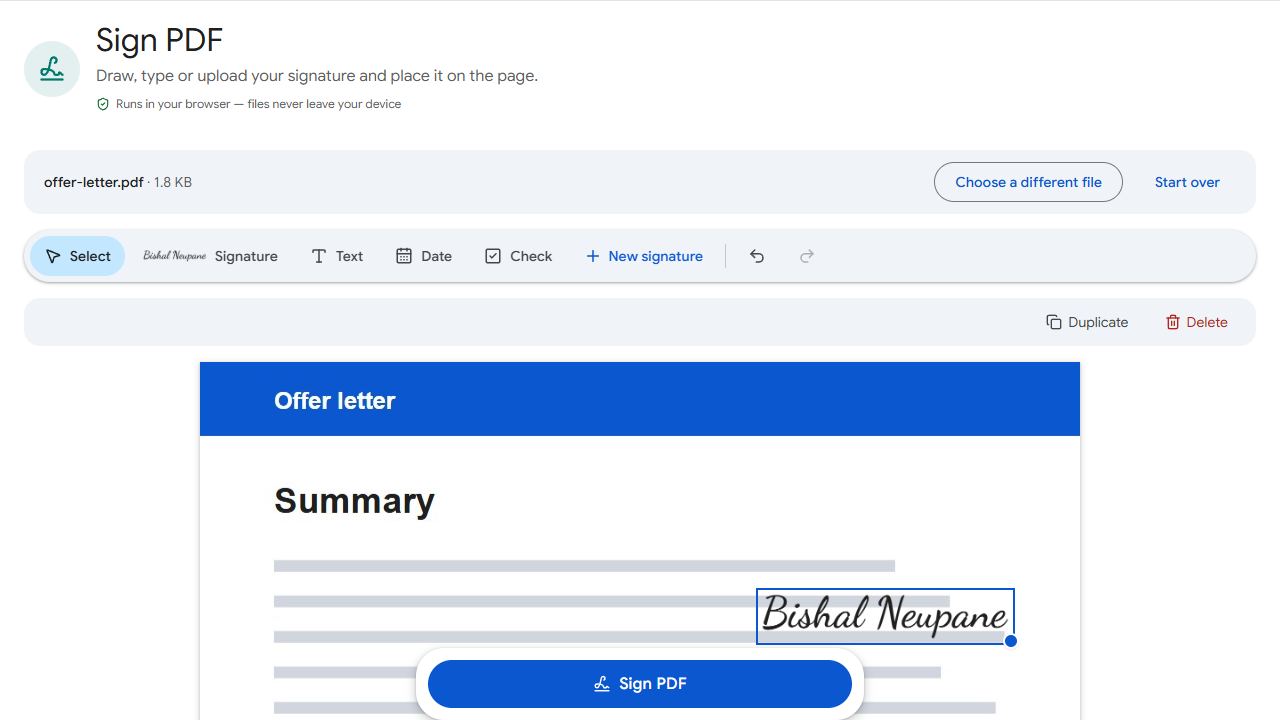
Sign in Chrome
- Download the PDF first — from Gmail, WhatsApp or wherever it came from — so it's in your Downloads folder or Google Drive.
- Open Sign PDF in Chrome and add the file.
- Tap Create signature and draw with your finger, type your name, or upload a photo of your signature.
- Tap the page to place it, drag it onto the signature line and resize it with the corner handle.
- Tap Sign PDF and download the signed copy.
Add the date and your name
Most forms want a date next to the signature. Sign PDF has a Date tool that places today's date, and a Text tool for your printed name or anything else. If the form has real fields, fill them with Fill PDF Forms first.
Send it back
- Gmail: compose a reply, tap the paperclip and choose the signed file from Downloads.
- WhatsApp: tap the attach icon and choose Document, not Gallery, so it's sent as a PDF.
- Google Drive: upload the signed file and share a link if the recipient prefers that.
A signature that looks right
Finger signatures look best when drawn slowly and a little larger than normal. For the most authentic look, sign on white paper with a dark pen, photograph it in good light, crop it tightly and upload the photo. For extra edits such as crossing something out, use Edit PDF.
Common problems and fixes
- The page scrolls when I try to sign.
- Start drawing inside the signature box; touches outside it scroll the page.
- WhatsApp sent the PDF as an image.
- Attach it with Document, not Gallery or Camera, and choose the signed file from Downloads.
- The signature is too big or in the wrong place.
- Before downloading, drag it into position and use the corner handle to resize it. You can delete it and place it again.
- My uploaded signature has a grey background.
- Photograph the signature on plain white paper in bright, even light and crop it tightly.
Frequently asked questions
No. Sign PDF works in Chrome and other Android browsers.
Yes. The Date tool places today's date on the page, and the Text tool adds anything else.
No. Signing happens on your phone; the document never leaves it.
Yes. Any stylus that works with your phone's touchscreen works on the signature pad.