How to Fill In a PDF Form (Even If It Isn't Fillable)
By Bishal Neupane · · 2 min read
Some PDF forms let you click into boxes and type; others are just a picture of a form. Here's how to complete both kinds — and how to make your own fillable form.
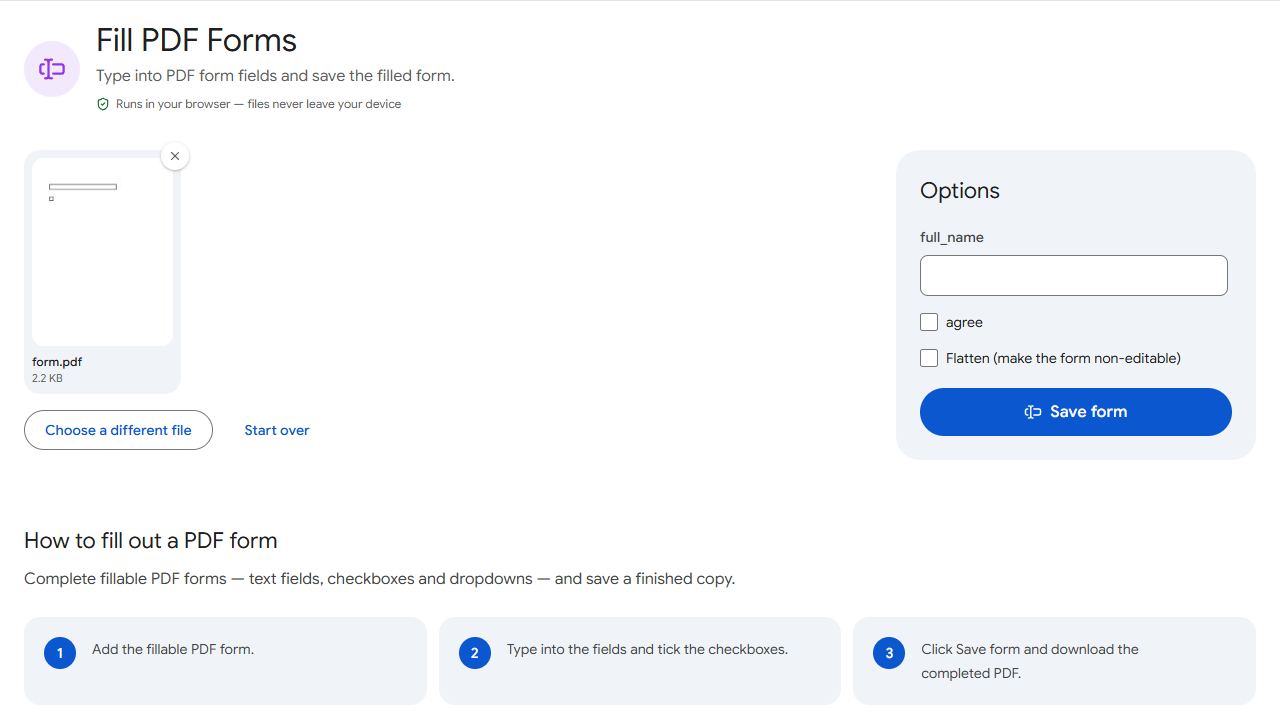
Fillable forms
A fillable form has real form fields: text boxes, checkboxes and dropdowns. To complete one:
- Open Fill PDF Forms and add the form.
- Type into each field and tick the checkboxes you need.
- Click Save form and download the completed copy.
If the tool says the PDF has no form fields, it's a flat form — see the next section.
Flat (non-fillable) forms
Many forms are scanned paper or were exported without fields. You can still fill them neatly:
- Open Edit PDF and add the form.
- Choose the Text tool and click where each answer should go, then type.
- Type an "X" into checkboxes.
- Click Apply changes and download.
Zoom in on your browser to line text up precisely with the form's lines.
Signing the form
Once the form is filled in, open the saved file in Sign PDF to add your signature.
Creating your own fillable form
If you send out the same form repeatedly — registration sheets, order forms, checklists — make it fillable so people can complete it on screen. Open your PDF in Create Forms, choose a field type (text field, checkbox or dropdown) and draw it where it belongs. The result uses standard PDF form fields that work in Adobe Acrobat, web browsers and most PDF apps.
Common problems and fixes
- "This PDF has no form fields to fill."
- The form is flat — just a picture of boxes. Fill it with Edit PDF by adding text where each answer goes.
- Text doesn't fit in a field.
- Some fields have a fixed size or character limit set by the form's author. Abbreviate where you can; for long answers, attach a separate page.
- My answers disappear when I open the form elsewhere.
- Make sure you downloaded the saved copy (from Save form), not the original. Open the downloaded file to check before sending.
- The form has fields I can't click.
- Some fields are read-only or calculated automatically by the form's author. Leave them as they are.
Frequently asked questions
Open it in a PDF viewer and click into a box. If a cursor appears and you can type, it's fillable. PDFCraftly's Fill PDF Forms tool also tells you when a file has no fields.
Yes. Save the form, keep the downloaded copy, and open that copy later to continue.
Yes. Both Fill PDF Forms and Edit PDF work in mobile browsers.
Fill and save the form first, then open the saved file in Sign PDF.