How to Copy Nepali Text from a PDF (Preeti and Scanned Files)
By Bishal Neupane · · 3 min read
You copy a line from a Nepali notice and paste it, and get g]kfn ;/sf/ instead of नेपाल सरकार. Or nothing copies at all. Both problems have the same fix: let OCR read the Devanagari and give you proper Unicode text.
Why Nepali PDFs copy badly
- Preeti and other legacy fonts. Many Nepali documents were typed in Preeti, Kantipur or similar fonts, which draw Devanagari shapes over ordinary English letters. The PDF stores the English letters, so that's what you get when you copy.
- Scans. A scanned page is an image, so there is no text to copy at all.
- Unicode PDFs with broken order. Even PDFs made with Unicode fonts sometimes paste with vowel signs such as ि in the wrong place, because of how the PDF stores the letter shapes.
Scanned Nepali PDF: run Nepali OCR
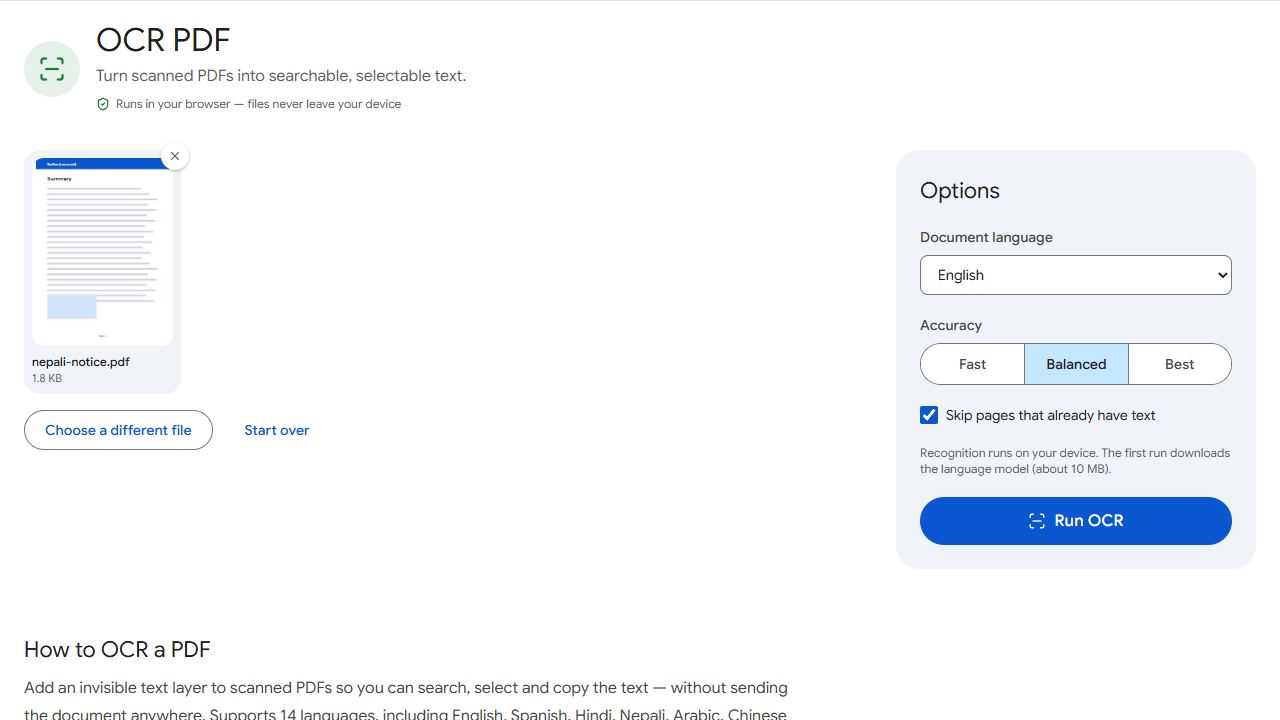
- Open OCR PDF and add the scanned file.
- Choose Nepali as the document language and Best accuracy.
- Click Run OCR and download the result.
- Select and copy text from the new PDF, or run it through PDF to Text to get everything as a Unicode .txt file.
The first run downloads the Nepali language model (about 10 MB). Your document itself is never uploaded.
Preeti PDF: turn the pages into images first
OCR adds a new text layer on top of each page; it doesn't remove the old one. In a Preeti PDF the old layer is the gibberish, and copying would pick up both. Remove it by converting the pages to images and back:
- Convert the PDF with PDF to JPG at High quality. Several pages download as a ZIP file; unzip it.
- Add the images to JPG to PDF with page size Same as image and margin None, and convert.
- Run that new PDF through OCR PDF in Nepali, as above.
Tips for accurate Nepali OCR
- Start from a sharp scan at around 300 DPI; blurry matras are the most common source of errors.
- Choose the language most of the text is in. English words in a Nepali document may come out less accurately.
- Devanagari digits (०–९) are recognised along with the text.
- Always proofread names, numbers and dates before you reuse the text.
Only have a few lines of Preeti text already copied? A Preeti-to-Unicode converter can remap the letters directly — or ask whoever made the document for the original file.
Common problems and fixes
- OCR output has wrong matras or broken conjuncts.
- Use Best accuracy and a sharper scan. Some errors in complex conjuncts are normal, so proofread important text.
- English words in the document come out wrong.
- OCR uses one language at a time. Choose the language most of the text is in and correct the rest by hand.
- OCR says every page already has text.
- The PDF has a Preeti or broken text layer. Follow the images-first steps above, or untick Skip pages that already have text.
- Pasted Nepali text shows as boxes.
- The app you pasted into lacks a Devanagari font. Install a Unicode Nepali font such as Noto Sans Devanagari, or paste into an app that already displays Nepali.
Frequently asked questions
Not reliably. It's designed for printed Devanagari.
Yes. It's slower than on a computer, and the Nepali language data (about 10 MB) downloads the first time.
Choose Nepali for Nepali text. Both use Devanagari, but the Nepali model knows Nepali words and spelling.
No. OCR runs on your device; only the language data is downloaded.