How to Add Headers and Footers to a PDF
By Bishal Neupane · · 2 min read
Headers and footers put useful context on every page: the document title, a version, who it's from, the date, and "Page 3 of 12". They're one of the quickest ways to make a PDF look finished.
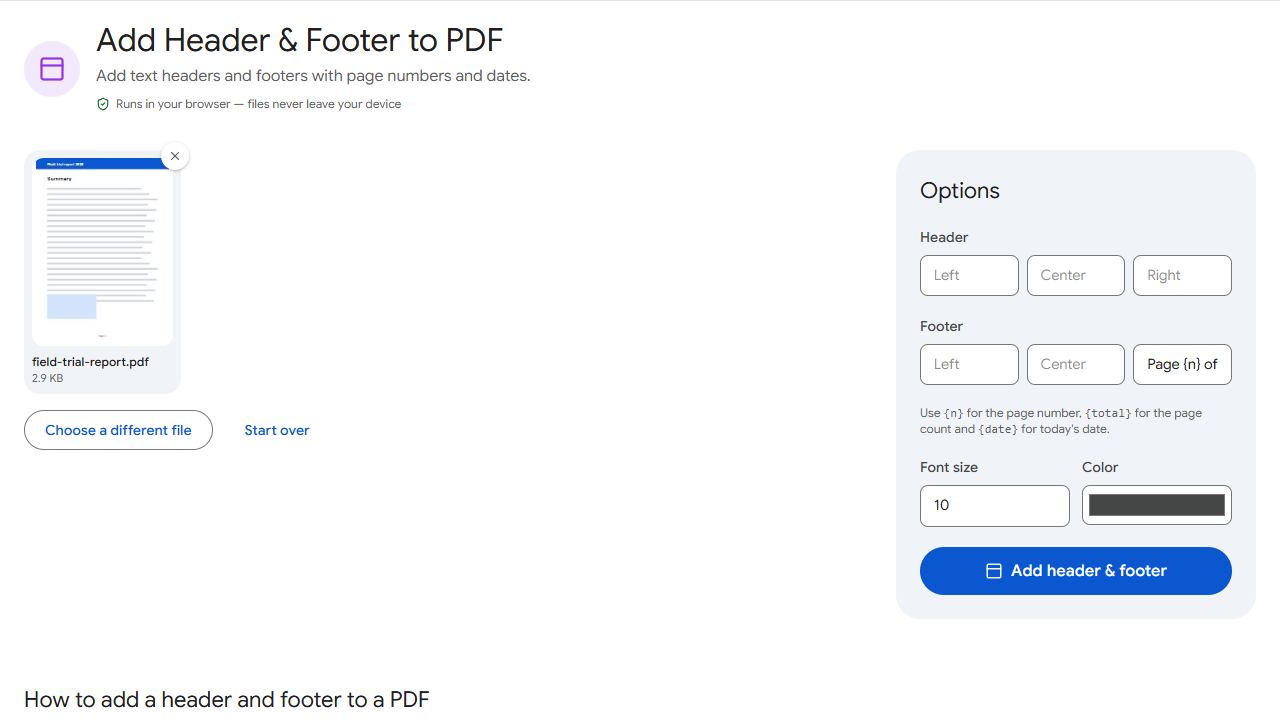
Step by step
- Open Header & Footer and add the PDF.
- Type into the left, centre or right boxes of the header, the footer, or both. Leave any box empty to skip it.
- Choose the font size and colour — a small grey text looks professional.
- Click Add header & footer and download.
Placeholders
Three placeholders are replaced automatically on every page:
{n}— the page number.{total}— the total number of pages.{date}— today's date.
For example, a footer of Page {n} of {total} on the right and Project report – {date} on the left gives every page a numbered, dated footer.
Common setups
- Business documents — company name in the header left, "Confidential" in the header right, page numbers in the footer.
- Assignments and theses — your name and student ID in the header, page numbers centred in the footer.
- Drafts — "DRAFT – {date}" in the header so old printouts are easy to spot. For a bigger statement, use a watermark.
Need only page numbers, with a choice of formats and a skipped cover page? Page Numbers is simpler.
Common problems and fixes
- The footer overlaps the page content.
- Use a smaller font size, or put the text in the header instead.
- The date format isn't what I expected.
- The {date} placeholder uses a standard date format. Type the date yourself if you need a specific style.
- Placeholders appear as text.
- Type them exactly, including the curly braces: {n}, {total}, {date}.
- I only want the footer on some pages.
- Headers and footers are applied to every page. To skip pages, split the document, add the footer to one part, and merge the parts back together.
Frequently asked questions
A header sits at the top of each page, a footer at the bottom. Both repeat on every page.
Yes. Use {total}, e.g. "Page {n} of {total}".
Yes. Choose any colour; grey is common for a subtle look.
Headers and footers are text only. Add a logo with Watermark using an image and a corner position.