How to Remove a Password from a PDF
By Bishal Neupane · · 2 min read
Banks, telecom companies and employers often send statements and payslips as password-protected PDFs. Typing the password every time gets old, and many tools can't merge, compress or edit encrypted files at all. If you know the password, you can save an unlocked copy in seconds.
Two kinds of protection
- An open password asks for a password before showing anything. You need to know it to unlock the file.
- Restrictions only: the PDF opens normally, but printing, copying or editing is blocked. These restrictions can be removed without a password.
Remove an open password
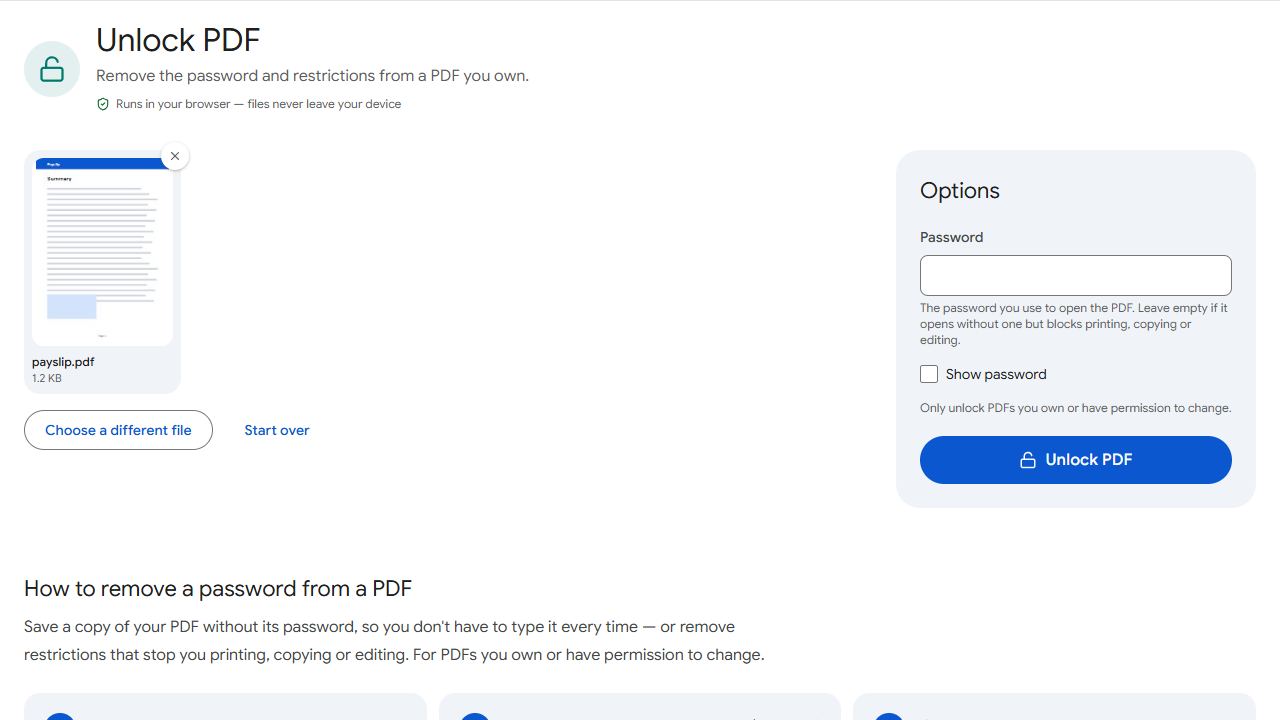
- Open Unlock PDF and add the PDF.
- Type the password you use to open it.
- Click Unlock PDF and download the unlocked copy.
The copy opens without a password everywhere. Your original file isn't changed, and the file and password never leave your device.
Remove printing, copying and editing restrictions
Add the PDF to Unlock PDF, leave the password box empty and click Unlock PDF. The downloaded copy can be printed, copied and edited normally.
Merging password-protected statements
Visa and loan applications often ask for six or twelve months of bank statements in one file. Unlock each statement first, then combine them in date order with Merge PDF. If you need to send the result securely, add a new password with Protect PDF.
What Unlock PDF won't do
It won't guess or crack an unknown password. If you've forgotten the password to your own file, ask the sender for a new copy; banks can usually resend statements.
Only unlock PDFs you own or have permission to change.
Common problems and fixes
- It says the password isn't right.
- Passwords are case-sensitive. For bank statements, check the email that came with the file: the password is often your date of birth in a set format or part of your account number.
- It says the PDF needs its password.
- The file has an open password. Type it in the Password box and try again.
- It says the PDF isn't password-protected.
- The file already opens and prints normally. If an app still won't let you edit it, it may be a scan or have flattened fields; see why can't I edit my PDF.
- I don't know the password.
- Unlock PDF can't recover unknown passwords. Ask the sender for an unprotected copy.
Frequently asked questions
Only if it opens without one and just blocks printing, copying or editing. Files that ask for a password to open need that password.
No. The password is removed in your browser, on your device.
Removing the password from your own documents, or ones you have permission to change, is fine. Don't use it to get around restrictions someone else has the right to set.
No. The pages are exactly the same; only the encryption is removed.