How to Increase PDF File Size to 50 KB, 100 KB or More
By Bishal Neupane · · 2 min read
Some upload portals reject PDFs below a minimum size, such as "between 50 KB and 200 KB". If your PDF is clean but small, it's easy to make it bigger without changing a single page.
First, ask why the portal wants a minimum
Minimum sizes usually exist to reject blank pages and unreadable, low-resolution scans. If your document is a faint or tiny scan, the real fix is a better scan: 200–300 DPI, in colour, in good light. Scan to PDF on your phone does this well, and a proper scan is usually over the minimum anyway.
If your PDF is already clear, for example a text document exported from Word, padding it is the simplest way to meet the rule.
Increase a PDF to a minimum size
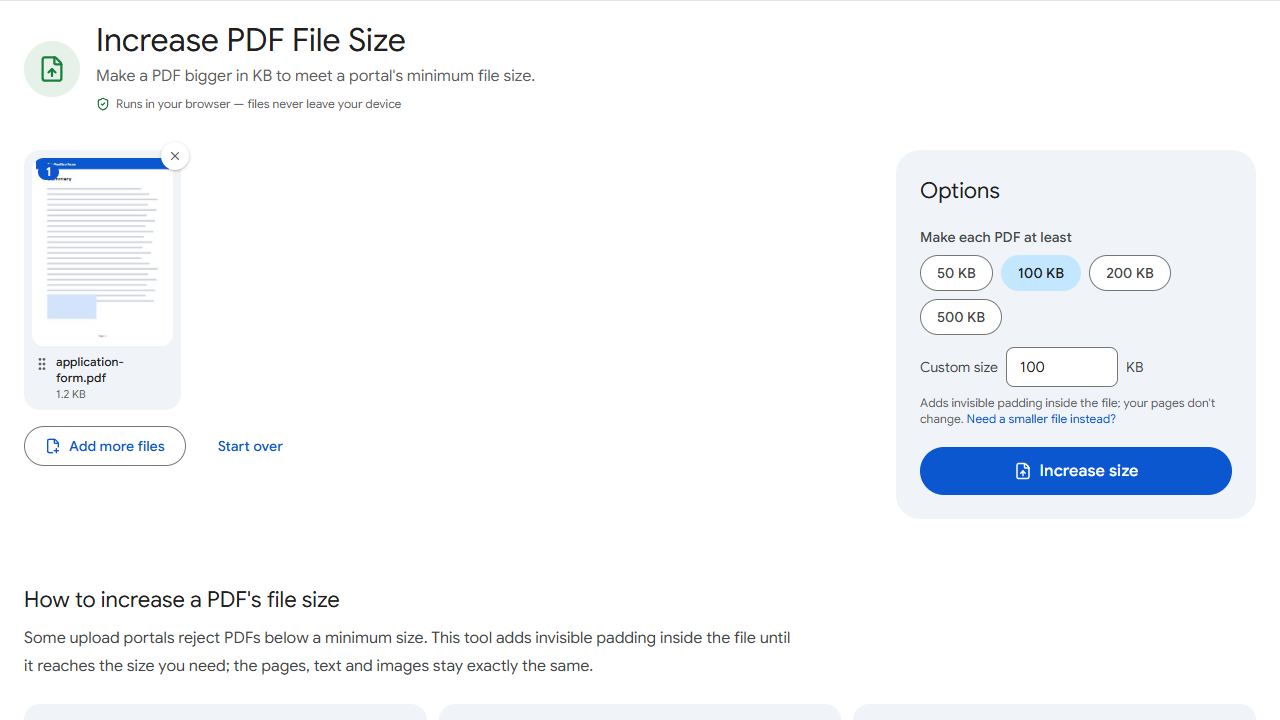
- Open Increase PDF Size and add the PDF.
- Choose the minimum, such as 100 KB, or type the number from the form.
- Click Increase size and download the result. It shows the new size, for example "103 KB — at least 100 KB".
The tool adds invisible padding in a part of the PDF that viewers ignore. Pages, text, images and links stay exactly the same, and the file opens everywhere as before.
When the form has a minimum and a maximum
Forms often say something like "50 KB to 200 KB". Pick a size comfortably inside the range, such as 100 KB. If your file is over the maximum instead, shrink it with Compress PDF and its Target file size option.
A 100 KB minimum becomes at least 102,400 bytes, so the file passes whether the portal counts 1 KB as 1,000 or 1,024 bytes.
Common problems and fixes
- The portal still says the file is too small.
- Check whether the form's minimum is per file or per page, and choose a slightly bigger size, such as 110 KB for a 100 KB minimum.
- It says the PDF is password-protected.
- Remove the password with Unlock PDF first, then increase the size.
- Now the file is too big for the maximum.
- Choose a size inside the range, or shrink the original with Compress PDF and a target size.
- The portal rejected the scan as unreadable anyway.
- Size isn't the real issue then. Rescan at 200–300 DPI in colour with Scan to PDF.
Frequently asked questions
Yes. The padding uses a part of the PDF format meant for application data, which viewers ignore. The file stays valid and opens everywhere.
No. Pages, text, images and links stay exactly the same.
Yes. Add them together; each one is increased on its own and they download as a ZIP.
No. Everything happens in your browser, on your device.