How to Increase a JPG or Photo Size in KB
By Bishal Neupane · · 2 min read
Many application forms want a photo or signature between a minimum and a maximum size, such as 20 KB to 50 KB. A tightly cropped signature can easily be too small. Here's how to fix that without changing the image.
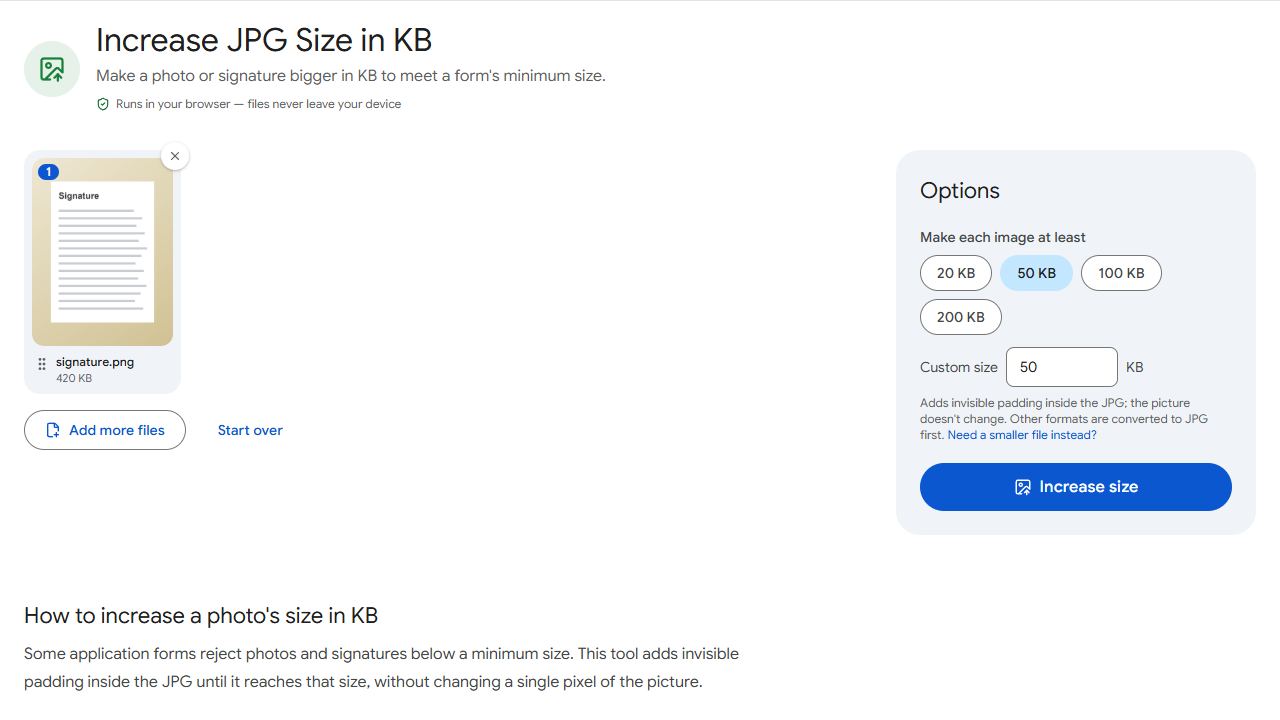
Increase a JPG to a minimum size
- Open Increase JPG Size and add the photo or signature.
- Choose the minimum, such as 20 KB or 50 KB, or type the number from the form.
- Click Increase size and download the JPG.
For JPG files the picture data isn't touched: the extra size is stored as a comment that image viewers and forms ignore. PNG, WebP, GIF and BMP images are first saved as a high-quality JPG, since forms almost always want JPG.
Staying inside a size range
If the form gives a range, such as 10–20 KB for signatures, pick a size inside it, like 15 KB. If the image is over the maximum instead, use Compress JPG to shrink it.
Check the dimensions too
Forms often also set pixel dimensions, such as 200 × 230 pixels for a photo. Padding doesn't change dimensions, so crop or resize the photo in your phone's gallery app first, then increase the file size last.
Everything happens in your browser; your photo is never uploaded.
Common problems and fixes
- The form still says the photo is too small.
- Some forms check pixel dimensions as well as file size. Check the dimensions the form asks for and crop or resize the photo to match.
- My PNG signature became a JPG.
- That's intended: forms almost always accept JPG. The image is saved at high quality first, then padded.
- Now the photo is over the maximum.
- Choose a smaller size inside the allowed range, or shrink it with Compress JPG.
- It says the image looks damaged.
- Open it in your photo app, save a new copy, and try again with that copy.
Frequently asked questions
No. For JPG files the image data isn't touched; the extra bytes are stored as a comment that viewers ignore.
It reaches at least 50 KB (at least 51,200 bytes), which passes a 50 KB minimum however the form counts kilobytes.
Yes. It works in any phone browser.
No. Everything happens in your browser.